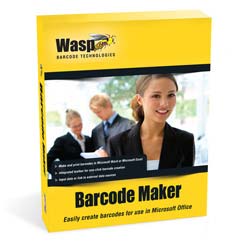
FontWare – Barcode Fonts

Back to Barcode Software                                                                                                                                                       Rate This Page

 
Find A Reseller
Live Chat


Wasp BarcodeMaker has replaced Fontware.

Please for more information


FontWare – Barcode Fonts

  part number: 633808063016
   Price: $95.00
 

FontWare – Barcode Fonts

Wasp FontWare seamlessly integrates barcodes with any Windows application that uses TrueType fonts including Microsoft Word® 2000/XP, Excel® 2000/XP, or Access® 2000/XP, or with Business Objects Crystal Reports®. Easily create barcodes by simply entering a font. Generating barcodes has never been easier!


Wasp FontWare is compatible with Microsoft Office 2000 or Microsoft Office XP (2002) software suites (it does not work with Office 2003 or 2007). For users of newer versions of Word, Excel or Access (eg. Office 2003 and Office 2007), please see BarcodeMaker since this product works with Office 2000, Office XP, Office 2003 and Office 2007 applications to create barcodes for these applications)


System Requirements

  • Windows 2000, XP or NT
  • 200Mhz or higher processor
  • 64 MB RAM minimum
  • 150 MB disk space minimum
  • CD-ROM drive (installation only)
  • Compatible with Microsoft Office 2000 (not compatible with Office 2003 or Office 2007, for barcode creation in 2003 or 2007 see BarcodeMaker)


Benefits

FontWare Does It All!
Wasp FontWare handles all the technical requirements of creating barcode fonts. There is no need to be familiar with barcode specifications. Wasp FontWare adds start and stop characters and automatically performs mathematical operations, such as check digit calculation.


Features

  • Create Compliant Barcodes - FontWare handles all technical requirements and informs the user if the barcode font is out of specification.
  • High, Medium, and Low Resolutions - Wasp FontWare provides three barcode densities for each scalable symbology (barcode font). Use the appropriate resolution for your business environment.
  • FontWare includes six TrueType barcode fonts for each scalable barcode symbology (high, medium and low resolution; each with and without the human readable caption)
  • Translation utility simplifies and automates barcode creation
  • Input data from your keyboard, text file, active application, or via DDE
  • Output encoded data directly to your active application, Windows clipboard, text file, or via DDE
  • ASCII keyboard mapping utility for inserting special characters
  • OCR-A & OCR-B TrueType Barcode Fonts for Optical Character Recognition applications
  • MICR TrueType Barcode Font for printing business checks
  • FontWare supports the most popular barcode symbologies including:
    • Code 39
    • Code 93
    • Code 128
    • UCC 128
    • UPC-A
    • UPC-E -EAN/JAN-8
    • EAN/JAN-13
    • Interleaved 2 of 5
    • Codabar
    • MSI Plessey
    • PostNet


Pro+ Version with 2D Features (sold as an upgrade)

  • MS Word® & Excel® Add-ins - Add-ins provide integrated barcode toolbar to easily generate barcodes within Word® & Excel®
  • Access® & Crystal Reports® - Add-ins provide integrated barcode toolbar to easily generate barcodes within Word®, Excel®, Access® and Crystal Reports®
  • Now Create the Most Popular 2D Barcodes - With Wasp FontWare Professional+ with 2D you can create PDF417 and Data Matrix barcodes
  • Optional PDF417 & Data Matrix add-ins for Word®, Excel®, Access®, and Crystal Reports®
  • Optional 2D Barcodes: (PDF417 & Data Matrix) - Requires purchase of the 2D version of FontWare


Download a fully functional version of one of the Wasp Barcode Technologies software products for 10 days.  To download the program, fill out the online form and follow the online instructions. An installation key will be sent to you via email.  Download speeds vary depending upon your computer speed.  Should you decide to purchase the product, call sales at 214-547-4100 to purchase an activation key. The installation and setup of the program as well as the work you have completed using the software will be retained on your system.  Note:  The Demo program comes with an UnInstaller to completely remove the program from your system at a later date if necessary.


Reviews
Support Center
Support Center

Here’s the center for all your Wasp support needs and questions. Access to technical support, downloads, and knowledge base; information on returns, shipping & payment options, product registration and warrantee policy.


Ask Us A Question
Wasp Live Chat

Need just a little more product information? Or help finding what you are looking for? Send an email to a knowledgeable Wasp representative and receive an email response.


WaspCatalog™
WaspCatalog™

Not sure what product solution you need?  Or just doing some initial information gathering?  Get the FREE WaspCatalog™ – it’s a terrific source of information that will help guide you to your final solution.


WaspSBIC™
WaspSBIC™

The Wasp Small Business Information Center (SBIC) is the resource center for small businesses.  Here, you will find almost 100 valuable links that will help you successfully start and profitably grow your small business.