


QuickStore – Point of Sale Software
From point of sale transactions to inventory, vendor and customer management, Wasp QuickStore provides the functionality your retail operation needs, while improving efficiency and reducing operating cost. This affordable solution makes large-business operations accessible to companies of all sizes.
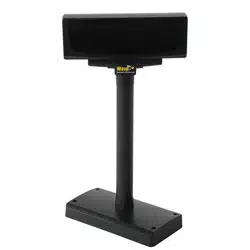
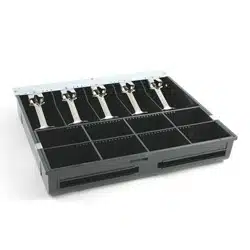
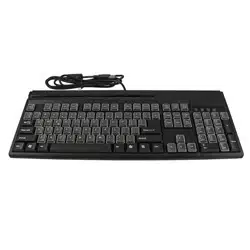
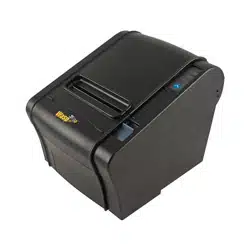
Integrating Wasp QuickStore Point of Sale™ software into your business is simple. Pair QuickStore software with Wasp point of sale hardware, or use QuickStore with your existing POS peripherals. Training is simple, with QuickStore’s free video training tutorials and on-screen Help menu. QuickStore also includes one free year of technical support, available for annual renewal – so support is there when you need it.
Wasp QuickStore software makes it easy to streamline your business. Simplify complicated POS transactions with QuickStore, from processing multiple payments to accepting credit, debit and gift cards and processing returns. Improve checkout efficiency using QuickStore’s intuitively designed user-interface, compatible with touch-screen monitors. QuickStore’s integrated inventory management tools ease the burden of tracking inventory. Items are removed from inventory at the time of sale, ensuring that your stock counts are always accurate. Establish minimum stock levels and use the automatic reorder function to keep your shelves stocked with the right product mix. Track inventory turns and age to reduce inventory carrying cost. Designed for single-site businesses or centrally-owned businesses with multiple retail outlets, QuickStore offers improved efficiency and tracking with an affordable price tag.
This ready-to-use point of sale software includes:
- QuickStore Point of Sale Standard Software
- 1 Checkout Lane License
- 1-Year Maintenance Subscription –
includes unlimited technical support
Ideal for:
Wasp QuickStore is the ideal point of sale solution for small to medium-sized retailers, offering quick and easy customer checkout and inventory management. Ready to use right out of the box, QuickStore features intuitive help-menus for simple set-up and integration. Wasp QuickStore is perfect for a variety of retailers, including:
- Apparel stores
- Bicycle shops
- General merchandisers
- Jewelry shops
|
- Specialty retailers
- Gift shops
- Sporting goods stores
- Service vendors, including nail salons and beauty shops
|
Common Uses for Point of Sale Software
- Rapid checkout at retail stores
- Create barcoded price tags for visibility of pricing and easy product-look up
- Ideal for retailers with a large assortment of products, including hobby shops, apparel stores, and book stores
- Accurately and easily track inventory
- Recommended for retailers with high product turns, including gift shops and general merchandisers
- Receive shipments, automatically update stock levels at the time of sale, and create automatic reorders
- Gather and utilize customer data, including demographic and purchase history
- Perfect for the creation of frequent buyer cards at specialty stores and service retailers, including nail and beauty salons
- Increase the sales of complimentary products with targeted promotions at bicycle shops and sporting goods stores
System Requirements
PC System Requirements
- A PC and monitor are required to run QuickStore software
- 32-bit or 64-bit version of:
- Windows 2000
- Windows 7
- Windows Vista
- Windows XP (SP3)
- Windows Server 2003
- Windows Server 2008
- Pentium 4 (500 MHz) or better processor
- 512 MB RAM minimum (1 GB recommended)
- 500 MB of available hard drive
- 1024 x 768 resolution and 16-bit high color or better
- CD-ROM Drive for software installation
- Network connection on PC (when operating in network environment)
Benefits of using Wasp QuickStore
- Access the data you need to manage your business more effectively in one software solution
- Improve the speed and accuracy of POS transactions
- Increase sales through improved customer service
- Reduce inventory carrying cost and stock-outs
- Updated, intuitively designed user interface ensures that QuickStore is easy to learn and use
- Train new users with minimal time and expense using QuickStore’s integrated tutorial sessions and On-screen Help feature
Features:
Manage Point of Sale Transactions
- Integrated payment processing through X-Charge allows you to accept credit, debit and gift cards
more about X-Charge
- Tender multiple payments
- Generate item and invoice notes
- Collect detailed customer information and sales history
- Create sales and layaway documentation
- Track accounts payable & receivable
Automate Inventory Management
- Manage inventory levels with automatic purchase orders for items below reorder levels
- Reduce inventory carrying cost by tracking inventory turns and aging
- Receive merchandise into stock by scanning the vendor’s UPC code
- Include up to 5 taxable components for each item (State/Federal, non-profit)
- Create standard and customized price tags, including barcodes
- Remove items from inventory at the time of purchase
- Generate discrepancy reports to resolve errors in physical inventory
Easily Access Business Reports
- View detailed sales reports, including sales by customer, sales by product, and sales by month, and cash flow summary
- Instantly access reports on inventory age, items on backorder, inventory with zero stock and more
Expand QuickStore’s Functionality as your Business Grows
- Transition to QuickStore Pro or Multi-Store by purchasing upgrade licenses
- Add multiple store lanes with additional software licenses
Download a fully functional version of Wasp QuickStore for 30 days.
To download the program, fill out the online form and follow the online instructions. An email with a trial software installation key (this number key is required to use this trial version) will be sent to you immediately after filling out the online form and clicking submit. If you don’t see this email in your inbox, please check your SPAM folder.
Should you decide to purchase the product, call sales at 214-547-4100 to purchase an activation key.
Note: The Trial Version program comes with an UnInstaller to completely remove the program from your system at a later date if necessary.


QuickStore software brochure
View the QuickStore version comparison chart
Learn more about QuickStore's integrated credit card processing