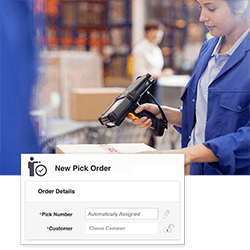
Inventory Control – INVENTORY Software
Get in control of your inventory with Wasp Inventory Control – the complete inventory tracking solution for small business. Increase the value of your business, satisfy your customers and create more freedom in your life with Inventory Control.
Wasp Inventory Control will help you eliminate common inventory problems including:
- Costly end of year inventory write-offs
- Inaccurate inventory counts resulting in customer dissatisfaction and loss of sales
- Wasted time spent searching for missing inventory
Engineered to improve efficiency and profitability, Wasp Inventory Control provides the capabilities you need to accurately track inventory, without the complexity or expense of an enterprise solution. Easy. Efficient. Affordable.
Ideal for businesses ranging from individual contractors to larger operations with multiple locations, Inventory Control delivers advanced capabilities in an easy-to-use format. Inventory Control is recommended for:
- Warehouses
- Light manufacturing and distribution centers
- Retailers
- Stock rooms & supply closets
- Inventory-carrying trucks, ships or containers
- Installation contractors or any business that buys, stocks and sells parts and products
Inventory Control allows you to define multiple sites (including a warehouse, stock room, or supply closet) with multiple locations (a bin, shelf, or even a pallet within the location). It’s simple to track your inventory by location, serial number, lot or any combination of the numerous ‘track-bys’.
Easily create barcode labels with Wasp Inventory Control. Print barcode labels or inventory tags using data from the Inventory Control database. Attach barcode labels to inventory items, physical locations or pallets to quickly improve efficiency.
This ready-to-use inventory tracking solution includes:
- Inventory Control Standard software
- 1 PC client license
- 1 mobile computer license (mobile computer sold separately)
- Integrated full version of WaspLabeler
- Free, unlimited technical support for the life of the product
System Requirements
PC System Requirements
- 32-bit or 64-bit version of:
- Windows® 7 Professional
- Windows Vista Premium
- Windows XP (SP3) Professional
- Windows Server 2008
- Windows Server 2003
- 750 MHz or faster processor (2 GHz recommended)
- 1 GB of RAM (2 GB recommended)
- 10 GB of available disk space
- 1024 x 768 display, 256 colors minimum
- DVD drive for installation
Mobile Computer Requirements
Wasp InventoryControl supports Windows® Embedded Handheld, Windows Mobile, and Windows CE devices only*.
- Windows Embedded Handheld 6.5
- Windows Mobile 2003 or later
- Windows CE 4.2 or higher
- 64 MB of RAM
Benefits
- Maintain current inventory counts
- Increase sales due to improved responsiveness to customers and distributors
- Reduce inventory write-downs and write-offs
- Eliminate stock outs and overstocks
- Reduce labor costs
- Know where all inventory is located, onsite or offsite
- Accurately track inventory cost
Features
Wasp Inventory Control offers a wide range of inventory tracking capabilities that allow you to effortlessly:
Track Inventory
- Manage inventory at multiple locations and sites
- Track inventory by site, location, serial number, lot, date, or pallet
- Move inventory from one site to another
- Maintain detailed supplier information and establish a supplier code
- Tie new inventory entries to the supplier code
- Track inventory cost using LIFO, FIFO or Moving Average valuation methods
- Check items in and out to customers and employees
Print Barcode Labels for Shipping, Products or Location Tags
- Create, customize, and print barcode and data labels with the integrated labeling software
- Attach labels to items, sites, locations, or documents
Fast and Easy to Use
- Import existing inventory and suppliers using the Import Wizard
- Navigate using Inventory Control’s user-friendly interface
- Customize your forms to present only the information that is important to your business – no programming required!
- Comprehensive help documentation demonstrates features and use of each screen
Review Quantities
- View critical count levels, including total available, checked out, in stock, on order, and committed
- Establish reorder quantity levels for inventory items
- Adjust inventory counts using the Adjust Inventory feature
- Easily remove counts from an existing item using the Remove Inventory feature
Audits and Cycle Counts
- Quickly perform audits with a mobile computer to ensure 100% accuracy
- Easily conduct monthly/quarterly cycle counts
Create New Inventory Items
- Create a new item number by scanning, typing, or selecting a number from a drop-down list
- Identify new items by any number system, such as SKU, UPC, barcode, or serial number
- Establish a starting number and choose to automatically generate serial numbers for each new item
- Use a scanner to add new inventory for existing inventory items
- Assign managers for specific inventory items
- Set up the system to require information for new items, such as a lot, PO, or supplier, and disable unnecessary fields
- Establish measurement units for tracking item quantities by pallet, box, container, gallon, and more
- Attach images or files to inventory records for easy access
Access Information Instantly and Securely
- Find essential data quickly using the Advanced Find feature
- Instantly view more than 60 pre-built reports
- Protect your inventory data with feature-based security
- Restrict user access at the site level
- Includes Microsoft® SQL Express database
Wasp Inventory Control Mobile Computer Features (Mobile Computer Sold Separately)
- Add, remove, move or adjust inventory
- Create and edit new inventory items
- Check inventory items in or out
- Print barcode labels and receipts to any networked printer from your mobile computer
- Scan barcode labels for instant, accurate data entry
- Search inventory by item number, alternative item number, serial number, or description
- Use the audit feature to easily perform periodic inventory counts
Inventory Control - Inventory Software Trial Version
To download the program, fill out the online form and follow the online instructions. An email with a trial software installation key (this number key is required to use this trial version) will be sent to you immediately after filling out the online form and clicking submit. If you don’t see this email in your inbox, please check your SPAM folder.
Should you decide to purchase the product, call sales at 214-547-4100 to purchase an activation key. The installation and setup of the program as well as the work you have completed using the software will be retained on your system. Note: The Trial Version program comes with an UnInstaller to completely remove the program from your system at a later date if necessary.


Inventory Control – Inventory Software Product Brochure
Inventory Control – User Guide
Case Study – Process Control Outlet

Get the latest patches and updates