


Mobile Asset Tracking – Mobile HC1 Pro Solution


Back to Asset Tracking                                                                                                                                                           Rate This Page

 
Find A Reseller
Live Chat


MobileAsset – Asset Tracking Solution with HC1

Pro

  part number: 633808342166
   Price: $2,995.00
Add Web Module (+$895)

Standard

  part number: 633808391379
   Price: $1,995.00

Enterprise

  part number: 633808342180
   Price: $4,995.00
Add Web Module (+$895)

  Don't know which version you need?

Mobile Asset Tracking – Mobile HC1 Pro Solution

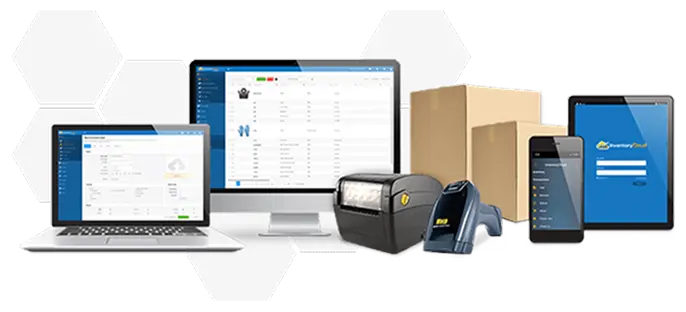
The Mobile HC1 Solution pairs Wasp Mobile Asset Pro software with the HC1 mobile computer, for an efficient, easy-to-use asset tracking solution. MobileAsset Pro offers additional features including 5 PC client licenses, asset kitting/linking, automatic notifications, and more! MobileAsset Pro is also compatible with the MobileAsset Web Module, for easy asset management from any PC with Internet access.


Accurately tracking your organization’s assets is simple and efficient with MobileAsset. Load the software on a PC or network, and use the mobile license on the HC1 mobile computer. Use the HC1 to check assets in or out, perform audits in the field, and move, add, or remove assets. Then sync back to your PC using the USB communication cable to instantly update the MobileAsset database.


MobileAsset Pro - Asset Tracking Software
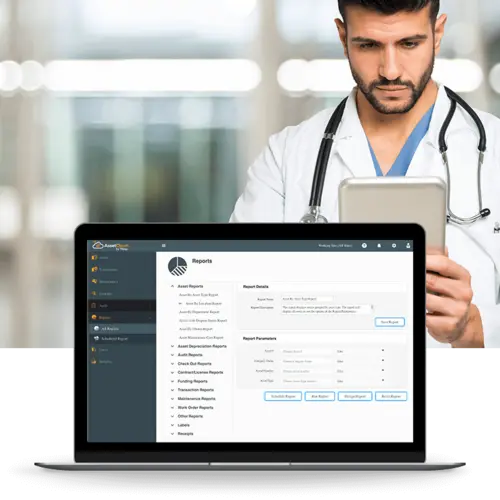
Easily track valuable organizational assets with Wasp MobileAsset. MobileAsset allows you to capture important information about each asset, including location, check-in and check-out, maintenance schedules and cost, warranty contracts, and depreciation. The data you need to make informed business decisions is instantly accessible in 48+ management reports.


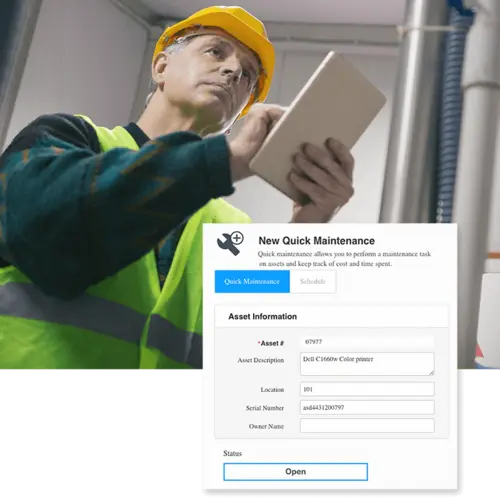
MobileAsset takes asset management to a higher level, giving you the ability to save time and money, end asset loss, improve equipment maintenance, and more accurately compute taxes based on depreciation schedules. This asset tracking solution is designed to meet the demands of your application, while remaining simple enough to master right out of the box.

MobileAsset Pro includes all of the features available in the Standard (Std) edition, plus:

  • 5 PC users (network capability)
  • Asset kitting/linking
  • Manage company software licenses and contracts
  • Receive automatic notifications of checked-out assets past-due and scheduled maintenance
  • Use additional depreciation methods, including double-declining balance and 150% declining balance
  • Access 4 additional management reports


to view all of the features available in MobileAsset Standard, Pro and Enterprise editions.


MobileAsset is ideal for managing assets in government and education, healthcare and small to mid-sized companies. Commonly tracked assets include:

  • Company property, furniture and fixed assets
  • IT assets, including laptops, PDAs and servers
  • Medical equipment
  • Evidence
  • Tools and vehicles
  • Files and documents


HC1 Mobile Computer
The HC1 mobile computer is ideal for use in field service, retail, hospitality, and logistical environments.  Rugged construction enables the HC1 to withstand multiple 5’ drops to concrete and provides an IP65 rating for protection against dust and water.  Easily collect and view data with the 3.8 inch Wide VGA transflective color touch screen, 44-key QWERTY keypad, and integrated laser scan engine.  The HC1 features a Windows Embedded Handheld 6.5 operating system, for fast, reliable performance.


This ready-to-use asset tracking solution includes:

  • MobileAsset Pro asset tracking software
  • 5 PC client licenses
  • 1 mobile computer license
  • Integrated barcode labeling software
  • Wasp HC1 computer with integrated barcode scanner
  • Rechargeable battery pack
  • USB communication cable
  • Recharge power supply
  • 250 pre-printed polyester asset tags
  • Free, unlimited technical support for the life of the product


System Requirements

PC System Requirements

  • 32-bit or 64-bit version of:
    • Windows 7 Professional
    • Windows Vista Premium
    • Windows XP (SP3) Professional
    • Windows Server 2003
    • Windows Server 2008
  • 750 MHz or faster processor (2 GHz recommended)
  • 1 GB RAM minimum (2 GB recommended)
  • 10 GB of available disk space  
  • 1024 x 768 display, 256 colors minimum
  • DVD drive for installation

Mobile Computer Requirements

Wasp MobileAsset supports Windows® Embedded Handheld, Windows Mobile, and Windows CE devices only*.

  • Windows Embedded Handheld 6.5
  • Windows Mobile 2003 or later
  • Windows CE 4.2 or higher
  • 64 MB of RAM

*MobileAsset v6 does not support Palm devices.

Benefits

  • Spend less time searching for lost, misplaced or unreturned assets
  • Extend the useful life of your equipment by scheduling routine maintenance
  • Eliminate unnecessary expenses to replace lost items
  • Track check-in and check-out to ensure accountability
  • Use advanced depreciation methods to accurately assess taxes
  • Improve productivity by allowing multiple users to access the asset database


Features

MobileAsset Pro includes all of the features available in the Standard version, plus the following additional features:


Manage Your Organization’s Assets

  • Kit or link multiple assets to a parent asset for easy tracking and management
  • Closely manage contracts covering company assets
  • Receive automatic notification of past-due maintenance and checked-out items that are overdue
  • Track how many software licenses are owned by your organization, and how many are currently available


Allow Multiple Users to Update Data

  • Includes Microsoft SQL Express database with 1 server license and 5 client licenses
  • Install on 1 database server with 5 PC clients on network OR
  • Install on 1 server/PC client with 4 PC clients on network


Access Information Quickly and Securely

  • Instantly view 52 management reports
  • Utilize 5 depreciation methods, including:
    • Straight-line
    • Double-declining balance
    • 150% declining balance
    • Declining balance custom
    • Sum-of-the-years’ digits


Mobile Computer Capabilities

  • Check assets in or out
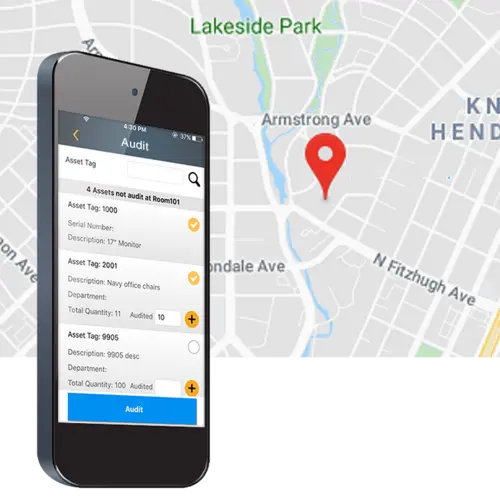
  • Audit your assets away from the PC
  • Add, remove, adjust, move, and retrieve detailed information about your organization's assets anywhere you go
  • Divide the workload between multiple mobile computers*


*MobileAsset Pro includes 1 mobile license. Additional mobile licenses are available separately


to compare the features available in MobileAsset Standard, Pro and Enterprise.

Wasp HC1 Stylus
Part Number: 633808551339
$9.95
Wasp WXR 3.26" x 820" Resin Ribbon for WPL305/WPL6
Part Number: 633808431235
$23.99
Wasp HC1 Headset
Part Number: 633808121716
$29.00
Wasp HC1 USB Cable, Communication/Charging
Part Number: 633808121693
$49.00
Wasp WPL305 2.0" x .75" Polyester Asset Label, 5"
Part Number: 633808403010
$65.00
Wasp HC1 Li-Ion Battery, 3.7v @2200 mAh
Part Number: 633808342142
$95.00
Wasp HC1 Pistol Grip
Part Number: 633808551322
$119.00
Wasp Pre-Printed Polyester Asset Tag 2.0" X 1.0" (
Part Number: 633808403546
$129.00
Wasp HC1 Li-Ion Battery, 3.7v @4000 mAh
Part Number: 633808121709
$149.00
Wasp HC1 Single Slot Cradle
Part Number: 633808121686
$149.00
WaspProtect Extended Service Plan for HC1 Mobile C
Part Number: 633808551346
$349.00
3-Hr TrainingService via Web
Part Number: 633808600242
$425.00
Wasp WPL305 Desktop Barcode Printer. Thermal Trans
Part Number: 633808402006
$499.00
Wasp MobileAsset Pro Web Module (Requires MobileAs
Part Number: 633808341503
$895.00
Wasp HC1 + Additional MobileAsset Mobile License
Part Number: 633808391423
$1,749.00


to visit our media center and see our full selection of Asset Tags.

MobileAsset - Asset Tracking Trial Version


Ensure that MobileAsset is the right solution for your organization with a free software trial. Select from trial methods including instant online product trial, 30-day trial CD, and 30-day trial download.


MobileAsset product brochure


HC1 product brochure


Don't know which mobile computer to pick? Mobile computer comparison chart


MobileAsset – Quick Start Guide


Get the latest patches and updates


MobileAsset Videos make

Getting Started Easy and Painless!


Wasp offers a variety of videos to help make your buying process easier and help make getting started quick and easy.


Product Tour


In less than 4 mins. get a quick product tour of the key features of MobileAsset and see it in action.


MobileAsset
Key Features


MobileAsset
Web Module


Customer Videos


View customer success videos and see how our solution helped solve other customers' business neeeds and learn about the ROI they received.


MobileAsset
Fire Station


MobileAsset
Medical Equipment


MobileAsset
City of Dallas


MobileAsset
Paladin Security


Hardware Product Videos


Get a more in-depth view of the hardware products that are available in a complete asset tracking solution.


HC1
Mobile Computer


WPL305
Barcode Printer


Mobile Device Videos


Get a more in-depth view of the mobile devices that are available in a complete inventory tracking solution.


HC1
Device Video


DT10
Device Video


WDT3250
Device Video


Free Getting Started Training / On-Demand Videos


When you’re ready to begin learning the basics about MobileAsset, including a product overview, key terms and definitions, and how to set up the database, watch our on-demand videos or attend a free online training video.


MobileAsset
Getting Started


MobileAsset & Hardware Tutorials


Ready for more in-depth coverage of specific topics in MobileAsset? The MobileAsset tutorial video covers advanced topics including asset types, depreciation classes, linking assets, and maintaining assets and contracts. The tutorial is divided into chapters, so you can skip straight to the topics you need assistance on.


MobileAsset
Tutorial


Watch in-depth step by step instructions on how to use, clean, and change media in the Wasp WPL305 printer. The tutorial is divided into chapters, so you can skip straight to the topics you need assistance on.


WPL305 Printer


live demo

testdrive

testdrive

testdrive

Case Studies


Support Center
Support Center

Here’s the center for all your Wasp support needs and questions. Access to technical support, downloads, and knowledge base; information on returns, shipping & payment options, product registration and warranty policy.


Ask Us A Question
Wasp Live Chat

Need just a little more product information? Or help finding what you are looking for? Send an email to a knowledgeable Wasp representative and receive an email response.


Wasp Catalog
WaspCatalog™

Not sure what product solution you need?  Or just doing some initial information gathering?  Get the FREE Wasp Catalog – it’s a terrific source of information that will help guide you to your final solution.


Wasp SBIC
WaspSBIC™

The Wasp Small Business Information Center (SBIC) is the resource center for small businesses.  Here, you will find almost 100 valuable links that will help you successfully start and profitably grow your small business.