


Mobile Asset Tracking – Complete Mobile 1200wm Solution

Back to Asset Tracking                                                                                                                                                           Rate This Page

 
Find A Reseller
Live Chat


MobileAsset – Asset Tracking Solution with WPA1200wm & WPL305

Standard

  part number: 633808391034
   Price: $2,495.00

Pro

  part number: 633808391041
   Price: $3,395.00
Add Web Module (+$895)

Enterprise

  part number: 633808391058
   Price: $5,395.00
Add Web Module (+$895)

  Don't know which version you need?

Mobile Asset Tracking – Complete Mobile 1200wm Solution

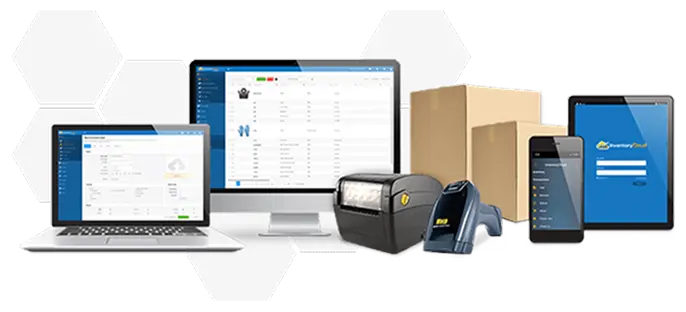
The Complete Mobile 1200wm Solution delivers the tools you need to manage your organization’s assets with ease. The solution includes MobileAsset software, the WPA1200wm mobile computer, and WPL305 desktop barcode printer.


Accurately tracking your organization’s assets is simple and efficient with MobileAsset. Load the software on a PC and use your mobile license on the WPA1200wm mobile computer. Use the WPA1200wm to check assets in or out, perform audits in the field, and move, add, or remove assets. Then sync back to your PC using the USB communication cable to instantly update the MobileAsset database. The WLP305 barcode printer allows you to print barcoded asset tags, location labels, and employee badges.


MobileAsset - Asset Tracking Software
Easily track valuable organizational assets with Wasp MobileAsset. MobileAsset allows you to capture important information about each asset, including location, check-in and check-out, maintenance schedules and cost, warranty contracts, and depreciation. The data you need to make informed business decisions is instantly accessible in 48+ management reports.


MobileAsset takes asset management to a higher level, giving you the ability to save time and money, end asset loss, improve equipment maintenance, and more accurately compute taxes based on depreciation schedules. This asset tracking solution is designed to meet the demands of your application, while remaining simple enough to master right out of the box.

MobileAsset is ideal for managing assets in government and education, healthcare and small to mid-sized companies. Commonly tracked assets include:

  • Company property, furniture and fixed assets
  • IT Assets, including laptops, PDAs and servers
  • Medical equipment
  • Evidence
  • Tools and vehicles
  • Files and documents


WPA1200wm Mobile Computer
The WPA1200wm mobile computer makes it easy to capture asset data away from your PC. Durable construction and IP64 rating for protection against dust and water make the WPA1200wm ideal for a wide range of environments. The WPA1200wm features a compact, PDA-style design and large, QVGA backlight color screen. Windows Mobile operating system ensures easy use and integration.


WPL305 Barcode Printer

The WPL305 desktop barcode printer offers direct thermal and thermal transfer technology in a compact footprint. Create long-lasting asset tags and location labels to improve asset tracking efficiency. Featuring USB, serial and parallel connectivity, the WPL305 offers easy installation. User-friendly clamshell design makes it simple to load and change media and ribbons.


This ready-to-use asset tracking solution includes:

  • MobileAsset Standard asset tracking software
  • 1 PC Client license
  • 1 Mobile device license
  • Integrated barcode labeling software
  • Wasp WPA1200wm mobile computer with integrated barcode scanner
  • Rechargeable battery pack
  • USB Communication cable
  • Recharge power supply
  • Wasp WPL305 desktop barcode printer
  • WXR 2.16" x 820' Resin ribbon for WPL305
  • 3,000 Printable polyester asset tags (2.0” x .75”) for WPL305
  • Free, unlimited technical support for the life of the product


System Requirements

PC System Requirements

  • 32-bit or 64-bit version of:
    • Windows 7 Professional
    • Windows Vista Premium
    • Windows XP (SP3) Professional
    • Windows Server 2003
    • Windows Server 2008
  • 750 MHz or faster processor (2 GHz recommended)
  • 1 GB RAM minimum (2 GB recommended)
  • 10 GB of available disk space  
  • 1024 x 768 display, 256 colors minimum
  • DVD drive for installation

Mobile Computer Requirements

Wasp MobileAsset supports Windows® Embedded Handheld, Windows Mobile, and Windows CE devices only*.

  • Windows Embedded Handheld 6.5
  • Windows Mobile 2003 or later
  • Windows CE 4.2 or higher
  • 64 MB of RAM

*MobileAsset v6 does not support Palm devices.

Benefits

  • Spend less time searching for lost, misplaced or unreturned assets
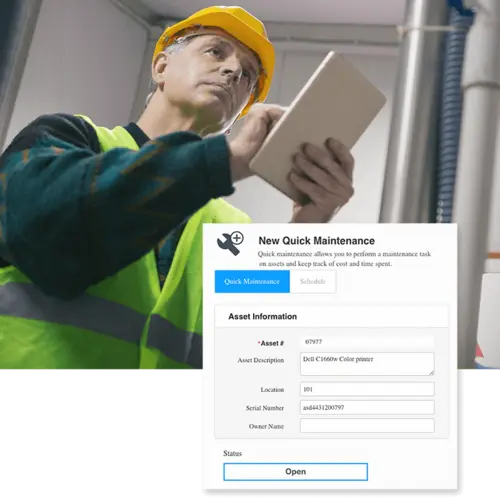
  • Extend the useful life of your equipment by scheduling routine maintenance
  • Eliminate unnecessary expenses to replace lost items
  • Track check-in and check-out to ensure accountability
  • Easily access data on asset cost and depreciation to speed tax calculations


Features

Manage Your Organization’s Assets

  • Check assets in or out to customers and employees
  • Assign due-date and due-time when checking assets out
  • Transfer asset responsibility to another individual while checked out
  • Track assets by site, location, department, item and serial number
  • Move assets by location, department, purchase order or custom filter
  • Update a selected group of assets instantly using mass update feature
  • Capture purchase order, invoice and warranty details
  • Attach any type of file to an asset for easy reference
  • Include a hyperlink in an asset record
  • Track data in up to 20 custom fields to ensure a perfect fit for your environment
  • Audit your assets on a PC or mobile device


Create Barcode Labels

  • Integrated barcode labeling software makes it easy to design asset tags
  • Generate location labels and employee badges for efficient tracking
  • Print asset tags, location labels and employee badges directly from asset, location and employee lists


Access Information Quickly and Securely

  • Department-level security ensures data integrity
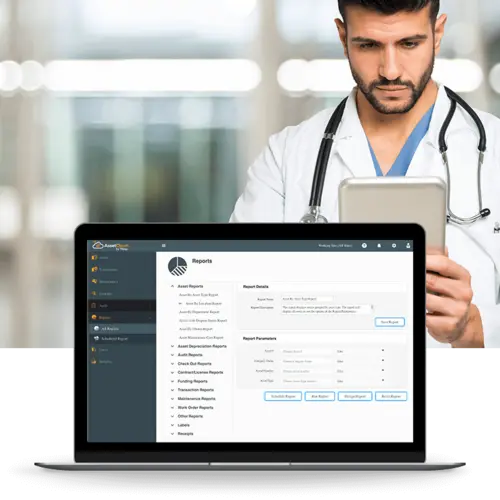
  • Instantly view 48 powerful management reports, including transaction and audit history, check-out reports, and maintenance records
  • Create, save and share custom filters for lists to view the right information for your business


Use MobileAsset with Ease

  • View a FREE Getting Started with MobileAsset training video online and on-demand
  • Use data-pinning to streamline data entry for multiple assets of the same type
  • Easily import and export data from external sources using the integrated Wizard


Mobile Computer Capabilities

  • Check assets in or out
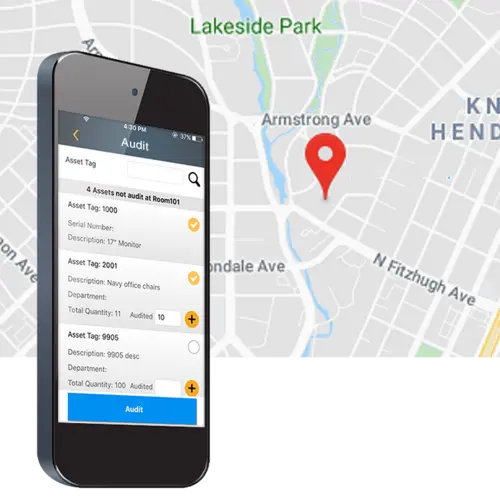
  • Audit your assets away from the PC
  • Add, remove, adjust, move, and retrieve detailed information about your organization's assets anywhere you go
  • Divide the workload between multiple mobile computers*


*MobileAsset Standard includes 1 mobile license. Additional mobile licenses are available separately.

MobileAsset - Asset Tracking Trial Version


Ensure that MobileAsset is the right solution for your organization with a free software trial. Select from trial methods including instant online product trial, 30-day trial CD, and 30-day trial download.


MobileAsset product brochure


WPA1200wm product brochure


Don't know which mobile computer to pick? Mobile computer comparison chart


MobileAsset – Quick Start Guide


Get the latest patches and updates


MOBILEASSET VideoS MAKE

GETTING STARTED Easy and Painless!


Getting Started with MobileAsset

When you’re ready to begin learning the basics about MobileAsset, including a product overview, key terms and definitions, and how to set up the database, watch the Getting Started with MobileAsset video.


MobileAsset Tutorials

Ready for more in-depth coverage of specific topics in MobileAsset? The MobileAsset tutorial video covers advanced topics including asset types, depreciation classes, linking assets, and maintaining assets and contracts. The tutorial is divided into chapters, so you can skip straight to the topics you need assistance on.


Find out more about
MobileAsset.


Schedule FREE One-on-One Demo

Special Offer!
FREE Training with Purchase

Watch Video Overview

Test Drive MobileAsset

Read White Paper

Read Case Studies

Call Wasp
866.547.9277


Support Center
Support Center

Here’s the center for all your Wasp support needs and questions. Access to technical support, downloads, and knowledge base; information on returns, shipping & payment options, product registration and warranty policy.


Ask Us A Question
Wasp Live Chat

Need just a little more product information? Or help finding what you are looking for? Send an email to a knowledgeable Wasp representative and receive an email response.


Wasp Catalog
WaspCatalog™

Not sure what product solution you need?  Or just doing some initial information gathering?  Get the FREE Wasp Catalog – it’s a terrific source of information that will help guide you to your final solution.


Wasp SBIC
WaspSBIC™

The Wasp Small Business Information Center (SBIC) is the resource center for small businesses.  Here, you will find almost 100 valuable links that will help you successfully start and profitably grow your small business.