




MobileAsset Pro Web Module

Back to Asset Tracking                                                                                                                                                           Rate This Page

 
Find A Reseller
Live Chat


MobileAsset Pro Web Module

MobileAsset Pro Web Module

Requires MobileAsset v6 Pro

  part number: 633808341503
  $895.00

MobileAsset Enterprise Web Module

Requires MobileAsset v6 Enterprise

  part number: 633808341510
  $895.00
 

MobileAsset Pro Web Module

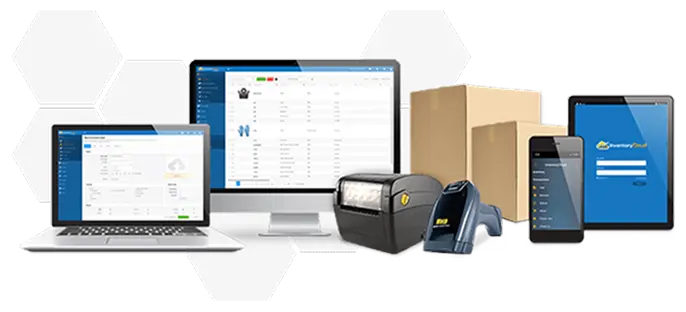
Manage your organization’s assets at any PC in your network using the MobileAsset Pro Web Module. Allow up to 5 concurrent users to log-in and create assets, check items in or out, and enter maintenance – without installing software on multiple PCs.  
 
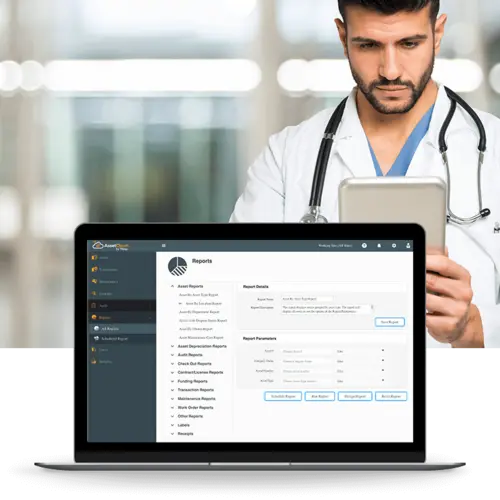
The MobileAsset Web Module makes it simple to access asset data from anywhere. Instantly view asset reports and lists to check software license availability, review recent transactions, and ensure that asset maintenance was performed. Easily locate the records you need using just a single keyword to search the database.  
 
Streamline asset requests with the new asset reservation feature. Enable employees and managers to make a reservation for a particular asset or asset type, and receive automatic email notification of reservation approvals and status changes.  No more schedule conflicts or complex scheduling! Asset reservations are available exclusively in the MobileAsset Web Module.
 
The MobileAsset Web Module is protected by password-enabled log-in, and idle users are automatically logged out – so your asset data stays secure.


Items included

  • MobileAsset Pro Web Module
  • 5 Concurrent web user licenses


System Requirements

  • Must be used in conjunction with MobileAsset v6 Pro software
  • Compatible with the following browsers:
    • Internet Explorer® 6, 7 and 8
    • Firefox® 3.0, 3.0.5, 3.5, 3.6.3 and 3.6.9

Web Server System Requirements

  • 32-bit or 64-bit version of:
    • Windows Server 2003
    • Windows Server 2008
  • Internet connection speed 720 kpbs or better
  • Pentium 4 (2GHz) or better processor
  • 4 GB of RAM of free memory
  • 2 GB of available hard drive
  • CD-ROM drive (installation only)
  • IIS 6.0 or later
  • Installation/Support considerations:
    • The Wasp installer will install the MobileAsset Web module to the default web site that is a local host inside your network. This web site should be available to anyone that is part of your local network. Wasp technical support is available to help get local web setup completed.
    • If you want to make changes to the network setup of MobileAsset Web including making it available outside your local network, you will require the services of a web / IT professional that is beyond Wasp’s support.


Benefits

  • Manage assets from any PC in your network, without time-consuming software installation
  • Streamline asset requests with the asset reservation feature
  • Intuitive user interface makes it easy to complete transactions and access data


Features

  • Create, move, transfer and dispose of assets
  • Check assets in or out to customers and employees
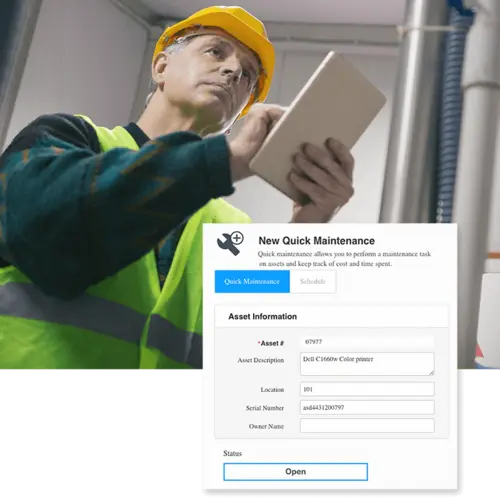
  • Schedule asset maintenance
  • Create and approve asset reservations
  • View asset reports and lists
  • Attach documents, images and more to asset records for easy reference
  • Automatically receive email alerts for reservation approval and status changes
  • Rapidly search the database using the keyword search
  • Create unlimited log-ins, with access for up to 5 concurrent users
  • Protect asset data with password enabled log-in and automatic log-out for idle users


MobileAsset - Asset Tracking Trial Version


Ensure that MobileAsset is the right solution for your organization with a free software trial. Select from trial methods including instant online product trial, 30-day trial CD, and 30-day trial download.


MobileAsset product brochure


MobileAsset – Quick Start Guide


Get the latest patches and updates


MOBILEASSET VideoS MAKE

GETTING STARTED Easy and Painless!


Getting Started with MobileAsset

When you’re ready to begin learning the basics about MobileAsset, including a product overview, key terms and definitions, and how to set up the database, watch the Getting Started with MobileAsset video.


MobileAsset Tutorials

Ready for more in-depth coverage of specific topics in MobileAsset? The MobileAsset tutorial video covers advanced topics including asset types, depreciation classes, linking assets, and maintaining assets and contracts. The tutorial is divided into chapters, so you can skip straight to the topics you need assistance on.


Find out more about
MobileAsset.


Schedule FREE One-on-One Demo

Special Offer!
FREE Training with Purchase

Watch Video Overview

Test Drive MobileAsset

Read White Paper

Read Case Studies

Call Wasp
866.547.9277


Support Center
Support Center

Here’s the center for all your Wasp support needs and questions. Access to technical support, downloads, and knowledge base; information on returns, shipping & payment options, product registration and warranty policy.


Ask Us A Question
Wasp Live Chat

Need just a little more product information? Or help finding what you are looking for? Send an email to a knowledgeable Wasp representative and receive an email response.


Wasp Catalog
WaspCatalog™

Not sure what product solution you need?  Or just doing some initial information gathering?  Get the FREE Wasp Catalog – it’s a terrific source of information that will help guide you to your final solution.


Wasp SBIC
WaspSBIC™

The Wasp Small Business Information Center (SBIC) is the resource center for small businesses.  Here, you will find almost 100 valuable links that will help you successfully start and profitably grow your small business.