 USD
USD GBP
GBP EUR
EURCreate Free Barcodes in Seconds
Generate printable barcodes instantly for inventory, asset tracking, labeling, shipping, and more.
Create a Barcode or QR Code in Seconds
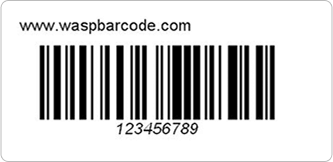
Instantly create custom barcodes or QR codes using this free online barcode and QR code generator. Choose from common linear barcode symbologies including UPC, EAN, Code 128, and Code 39. Each code is readable by either a 1D or 2D barcode scanner or code scanning app on iOS and Android devices.
Your code will generate below:
What will you use these barcodes for?

Track Every Asset You Label
Know where equipment is, who has it, and its full history—without spreadsheets.
Key Benefits
- Scan with your phone or handheld device
- Assign assets to employees or locations
- Track check-in / check-out activity
- View maintenance and service history

Label Products - Then Track Them
Creating barcodes is just step one. Add tracking to monitor product movement, stock levels, and performance over time.
Key Benefits
- Track products from storage to sale
- Reduce manual errors
- Improve inventory accuracy
- Scale as your business grows
Manage Inventory in Real Time
Go beyond labeling—use your barcodes to track stock levels, locations, and orders across your entire operation.
Key Benefits
- Update inventory instantly with barcode scans
- Set low stock alerts
- Track items across multiple locations
- Manage purchasing and suppliers
Simple Barcodes - With Room to Grow
Enjoy using our free barcode maker for personal organization or business purposes. If your needs grow, you can easily upgrade to track and manage everything in one place with Wasp Barcode tracking software.
Key Benefits
- Organize items at home or work
- Print and use instantly
- Upgrade anytime to full tracking
Barcodes Are Just the First Step
Creating barcodes is easy. Keeping track of what they represent is the real challenge.
Without a system, barcodes are just labels. With the right software, they become a powerful way to track, manage, and optimize your business.
Turn Your Barcodes Into a Complete Tracking System

Track and manage every asset you own
From laptops and tools to machinery and equipment, know where everything is, who has it, and what condition it’s in.
- Scan barcodes with your mobile device
- Assign assets to employees or locations
- Track maintenance and service history
- Generate reports instantly

Take control of your inventory
Eliminate guesswork and manual tracking with barcode-powered inventory management.
- Update stock levels with barcode scans
- Set low stock alerts
- Track inventory across multiple locations
- Manage orders and suppliers
Which barcode should you choose?
You need the right barcode for the content type you’re sharing, whether it’s information for business cards or a barcode for product identification. Some barcode scanners can only read certain types of barcodes. For instance, a typical code reader cannot scan a QR code. Browse the types below to see which codes follow the industry standards you need or can hold the content type you need.
Code 3 of 9 Standard
(Also called Code 39 Barcode) Code 39 Standard is the most common type of barcode. Use Code 39 as a variable-length code to store any of the 43 standard alphanumeric characters, including capital letters A-Z, numbers 0-9, and some special characters such as punctuation.
Code 128
is the most easily read barcode and can be used to store any alphanumeric characters. If you are considering using alphanumeric codes in your company, Code 128 is a good choice for individual barcodes.
Interleave 2 of 5
This barcode can only contain numeric information, and is typically used in industrial and master carton labeling.
Codabar
is the code standard often used in libraries and blood banks.
Code 93
is similar to Code 39, but allows you to store more characters per inch.
MSI Plessey
This numeric-only barcode is commonly used in supply chains, warehousing and inventory stock control.
UPC-A Code
is a 12-digit fixed-length barcode. This is the most commonly used barcode in retail product labeling. The first 6 digits are unique to your business, and must be assigned to you by GS1 US.
UPC-E Code
is a 6-digit fixed-length barcode. This barcode format is a compressed code that is used to mark small packages and paperback books and magazines in retail.
EAN/JAN-13
can only store 12, 14 or 17 characters. The barcode is similar to UPC-A, but allows you to include the first two digits of a country code and includes a check digit to verify the code scan was accurate.
EAN/JAN-8
requires the use of 7, 9 or 12 characters. EAN/JAN-8 is similar to the UPC-E, but also allows you to store the first two digits of a country code.
US Postal Code
barcode is also called POSTNET, and is used by the US Postal service for mail delivery.
QR Code
A QR code, or Quick Response code, is a type of two-dimensional code that can hold more than 4,000 alphanumeric characters. It’s called a two-dimensional barcode because QR code scanners read the whole area, and a one-dimensional barcode has a single line that code readers scan. This means that a QR code gives you the ability to store a significant amount of information in a small space.
FAQ
What is a barcode generator?
What is a barcode generator?
A barcode generator converts data into a scannable barcode image. A product number, SKU, asset ID, or URL goes in, and a barcode comes out that can be printed or scanned. Wasp’s free online Barcode Maker lets users create common 1D and 2D barcode types including Code 128, Code 39, UPC-A, EAN-13, Data Matrix, and QR Codes directly in their browser with no account or payment required.
How do I create a barcode online for free?
How do I create a barcode online for free?
To create a barcode online for free, open Wasp’s Barcode Maker. From the drop-down menu, select the barcode type that fits your use case (UPC for retail products, Code 128 for inventory and asset tracking, QR Codes for URLs), enter your data, and generate a downloadable barcode instantly. The tool is free for individual barcodes with no account or payment required.
How do I print a barcode after I create it?
How do I print a barcode after I create it?
After you generate a barcode using the Wasp Barcode Maker, save the barcode image and print it from a standard application like Word, Excel, Adobe, or label design software. For occasional use or small quantities, many businesses use a standard inkjet or laser printer with printer label sheets. For higher volume labeling or more durable barcode labels, thermal barcode printers produce sharper barcode images and labels that hold up better in warehouse, shipping, retail, and asset tracking environments. Wasp provides desktop, industrial, and receipt barcode printers for a wide range of labeling applications.
What's the difference between UPC, EAN, Code 128, Code 39, and QR codes?
What's the difference between UPC, EAN, Code 128, Code 39, and QR codes?
UPC and EAN barcodes are retail product codes used at point of sale. UPC is the standard format in the United States and Canada, while EAN is commonly used internationally. Code 128 and Code 39 are widely used for inventory, asset tracking, warehouse labeling, shipping, and internal operations. Code 128 stores data more efficiently and supports more characters, which makes it one of the most common barcode formats for business tracking applications. Code 39 is an older barcode format still commonly used in manufacturing, healthcare, automotive, and government environments. QR Codes are two-dimensional barcodes that can store much more information than traditional barcodes, including URLs, contact information, serial numbers, and documents. They can also be scanned using most smartphone cameras.
What's the difference between 1D and 2D barcodes?
What's the difference between 1D and 2D barcodes?
1D (linear) barcodes like UPC, EAN, Code 128, and Code 39 store data in a single row of bars and spaces. They hold a smaller amount of information but scan very quickly, which is why they’re commonly used in retail, shipping, inventory management, and asset tracking. 2D barcodes like QR Codes and Data Matrix store data in a grid pattern and can hold much more information, including URLs, serial numbers, and detailed records. They can also be scanned using smartphones, barcode scanners, and mobile computers (smart scanners). Businesses often use 2D barcodes when they need to store more data in a smaller space.
What file format should I download my barcode in?
What file format should I download my barcode in?
Wasp Barcode Maker generates barcodes as PNG files, which work well for most barcode printing applications. PNG files preserve sharp edges and scan reliably when printed on labels, packaging, asset tags, and other tracking materials.
How many characters can each barcode type hold?
How many characters can each barcode type hold?
UPC-A holds 12 numeric digits and EAN-13 holds 13 numeric digits. Both are designed for retail product labeling and point-of-sale scanning. Code 128 can hold roughly 80 characters and supports letters, numbers, and symbols, which makes it one of the most common barcode formats for inventory, shipping, and asset tracking. Code 39 typically holds 30 to 40 characters using letters, numbers, and a limited symbol set. QR codes can hold thousands of characters depending on data type being stored, including URLs, contact information, serial numbers, and larger blocks of text.
Can I generate barcodes in bulk?
Can I generate barcodes in bulk?
Wasp’s free online Barcode Maker is designed for creating individual barcodes at one time. For bulk barcode generation involving hundreds or thousands of unique codes for product launches, asset tagging, or inventory rollouts, WaspLabeler can generate sequential or list-based barcodes directly from Excel or CSV files. Wasp Inventory and Wasp Asset also include built-in barcode creation and printing as part of their inventory management and asset tracking software. Most businesses managing more than 50 to 100 items move beyond manual barcode generation because creating labels one at a time becomes slow and harder to manage at scale.
After I create a barcode, how do I actually track inventory or assets with it?
After I create a barcode, how do I actually track inventory or assets with it?
A barcode by itself is just a label. To track inventory or assets, you need barcode scanners and tracking software that records each scan against a database. Wasp Inventory and Wasp Asset are two separate Wasp products that pair with barcode scanners to simplify tracking and eliminate manual data entry. Wasp Inventory helps businesses track consumable stock, including inventory received, picked, reordered, and counted. Wasp Asset helps organizations track equipment and fixed assets, including check-in and check-out activity, audits, maintenance history, and asset assignments. Both Wasp Inventory and Wasp Asset also include built-in barcode label creation and printing.
What's the difference between this free Barcode Maker tool and Wasp Barcode Maker software?
What's the difference between this free Barcode Maker tool and Wasp Barcode Maker software?
Wasp’s free online Barcode Maker is designed for creating individual barcodes one at a time directly in your browser. The tool generates downloadable PNG barcode images that can be printed or emailed to you for later use. WaspLabeler is barcode label design software built for larger-scale barcode creation and printing. It supports bulk barcode generation, sequential numbering, Excel and CSV imports, custom templates, and both 1D and 2D barcode formats. It also integrates with Microsoft Word and Excel for creating barcoded documents and labels. Wasp Inventory and Wasp Asset also include built-in barcode creation and printing as part of their inventory management and asset tracking software. Businesses using those systems can create, print, and scan barcode labels while managing inventory, equipment, and assets from the same system.
Ready to do more than just create barcodes?
From scan history to scan statistics, get more than uninterrupted availability from your own barcode generator when you use Wasp professional tracking software. Talk to a Wasp tracking specialist today who can help guide you to the right solution for your needs and show you exactly what your assets would look like tracked in real time.
