
CLOUD-BASED OR ON-PREMISE
Van Stock Inventory Management Software
Track parts inventory across service vehicles, stockrooms, warehouses, and technicians from one centralized system.
Jump to
Track Parts Inventory Across Vehicles and Stockrooms
Know what parts are available, where they’re located, and when each service vehicle needs to be replenished.
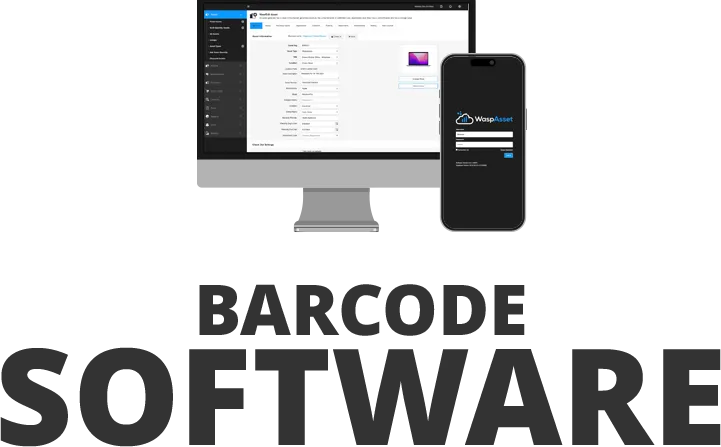

Manage Van Stock with Wasp Inventory
Wasp Inventory helps service organizations manage parts inventory across warehouses, stockrooms, and service vehicles. Track what inventory is assigned to each vehicle, replenish stock from the warehouse, and maintain accurate inventory levels so technicians have the parts they need when they arrive on site.
As inventory moves from the warehouse to service vehicles and onto customer job sites, barcode scans update inventory records so dispatchers, warehouse teams, and managers know what inventory is available and where it’s located.
Whether you manage HVAC parts, plumbing supplies, electrical components, maintenance inventory, or repair parts, Wasp Inventory helps keep service vehicles stocked and jobs on schedule.

Why Service Teams Choose Wasp Inventory for Van Stock
-
Track Parts Inventory Across Vehicles and Stockrooms
Track parts inventory by service vehicle, warehouse, stockroom, or technician so you always know what’s available and where it’s located. - Replenish Van Stock Before Parts Run Out Track what inventory is assigned to each service vehicle and replenish stock from the warehouse before technicians arrive at a job missing critical parts.
-
Record Parts Usage with Barcode Scanning
Scan parts as they’re used on jobs to keep inventory counts accurate and reduce manual paperwork. -
Receive Low Stock Alerts Before Service Calls Are Impacted
Set minimum and maximum inventory levels for parts and receive automatic alerts when stock falls below defined thresholds so replenishment happens before technicians run short. -
Count Van Stock Faster
Use barcode scanners or mobile devices to verify truck inventory, identify missing parts, and reconcile counts without manual spreadsheets. -
Transfer Inventory Between Warehouses and Service Vehicles
Move inventory between warehouses, stockrooms, and service vehicles while maintaining accurate inventory records and transaction history. -
Run Inventory Reports Across All Locations
Generate reports on inventory levels, part usage, transfers, purchasing activity, and stock movement across warehouses, stockrooms, and service vehicles. -
Generate Purchase Orders When Inventory Runs Low
Use reorder points and minimum inventory levels to identify replenishment needs and create purchase orders before stockouts occur. -
Manage Van Stock from Mobile Devices
The Wasp Inventory mobile app for iOS and Android lets teams update inventory records, transfer inventory, and perform counts from the warehouse, service vehicle, or job site.


Recommended Barcode Scanners for Van Stock Inventory
Fast, reliable scanning for receiving parts, replenishing vehicles, recording usage, and counting truck stock.
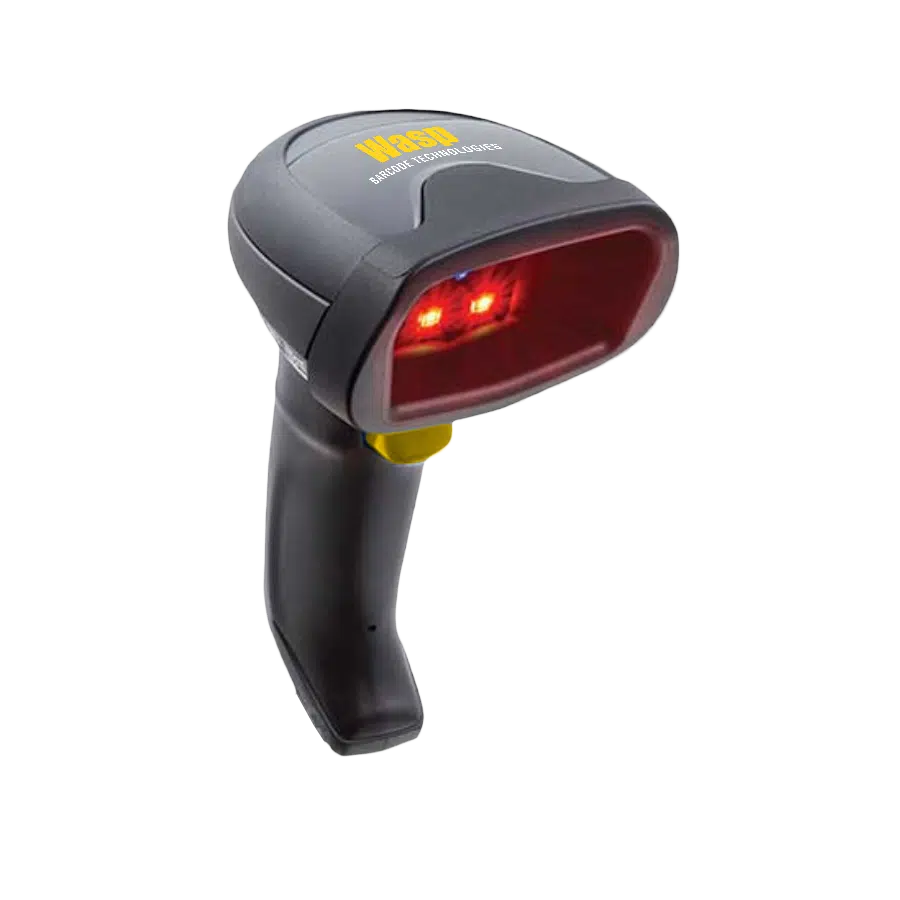
Wasp WWS652 2D Wireless Barcode Scanner
Wirelessly scan parts, bins, and inventory locations throughout the warehouse or service vehicle, with fast reads on damaged labels and all-day comfort for frequent scanning tasks.
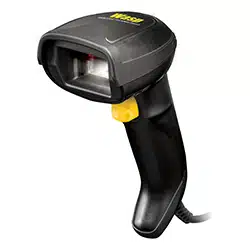
Wasp WDI4700 Industrial 2D Barcode Scanner w/USB cable
Quickly capture barcodes on parts, shelves, and mobile devices while reducing mis-scans with precise targeting in crowded storage areas and stockrooms.


Recommended Barcode Printers for Van Stock Inventory
Print barcode labels for parts, bins, shelves, stockroom locations, and service vehicle inventory.
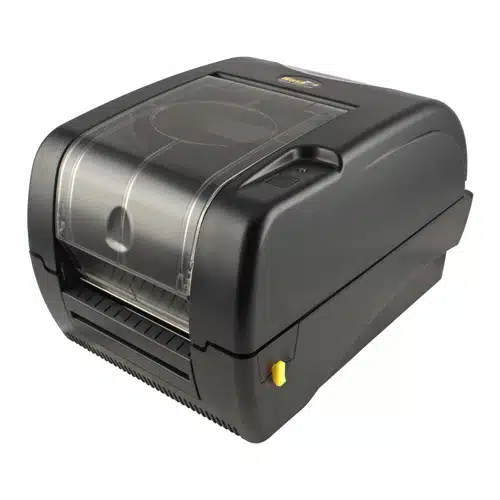
Wasp WPL305 Barcode Printer
Print durable bin labels, shelf labels, and part identification labels on demand to keep warehouse and vehicle inventory clearly organized and easy to locate.
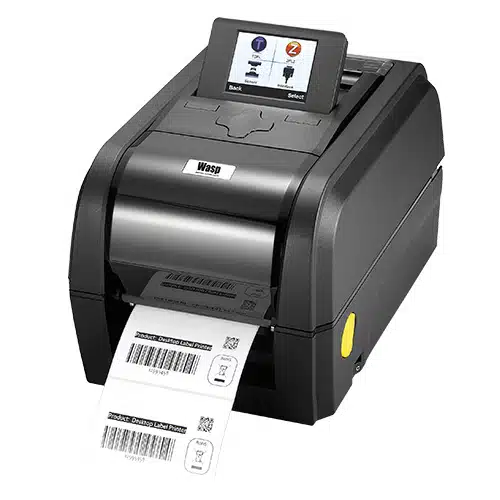
Wasp WPL308Plus Barcode Printer, 203 DPI
Produce high volumes of shipping labels, location labels, and inventory labels quickly, making it ideal for organizations managing large parts inventories across warehouses and service fleets.


Build Your Van Stock Inventory System
Our solution sales team helps you choose, configure, and launch the right inventory tracking system for your parts and service vehicle inventory.
Product Selection
Identify the right software, barcode scanners, and printers for tracking parts across warehouses, stockrooms, and service vehicles.
Custom Configuration
Wasp software and hardware can be configured to match your replenishment processes and reporting needs.
Setup & Training
Receive setup and training support for a smooth implementation.

Customer Success - Environment Agency
The Environment Agency eliminated 156 unnecessary trips to job sites for missing or misplaced tools after implementing Wasp Inventory, saving roughly $97,000 a year. By knowing what equipment was assigned to each vehicle and where it was located, crews spent less time searching for items and fewer hours driving back to retrieve what they needed.
Organizations Trust Wasp for Tracking Solutions






Frequently Asked Questions
What is van stock inventory management?
What is van stock inventory management?
Van stock inventory management is the practice of tracking parts and supplies stored on service vehicles, so field teams know what’s on each truck, what’s been used, and when stock needs replenishing. Wasp Inventory tracks parts across service vehicles, stockrooms, and warehouses from one system, so technicians arrive at jobs with the parts they need.
How does Wasp track which parts are on each service vehicle?
How does Wasp track which parts are on each service vehicle?
Wasp Inventory tracks parts by service vehicle, warehouse, stockroom, or technician, so you always know what’s available and where it’s located. As inventory is scanned and transferred between the warehouse, service vehicles, and job sites, inventory records update to reflect those transactions, giving dispatchers, warehouse teams, and managers visibility into what each truck is carrying.
How do I replenish van stock from the warehouse before parts run out?
How do I replenish van stock from the warehouse before parts run out?
Set minimum and maximum inventory levels for the parts each vehicle carries, and Wasp sends automatic alerts when stock falls below your thresholds. You can transfer inventory from the warehouse to a vehicle and generate purchase orders at reorder points, so replenishment happens before a technician runs short on a job.
Can technicians record the parts they use on a job from a mobile device?
Can technicians record the parts they use on a job from a mobile device?
Yes. The Wasp Inventory mobile app for iOS and Android lets technicians scan parts as they’re used, update inventory records, transfer stock, and run counts from the warehouse, service vehicle, or job site. Scanning parts at the point of use keeps counts accurate and cuts manual paperwork.
Can Wasp track parts across warehouses, stockrooms, and service vehicles at the same time?
Can Wasp track parts across warehouses, stockrooms, and service vehicles at the same time?
Yes. Wasp Inventory manages parts across warehouses, stockrooms, and service vehicles in one centralized record. You can run reports on inventory levels, part usage, transfers, and stock movement across every location, so you know what’s available and where it’s located.
What types of service businesses use Wasp to manage van stock?
What types of service businesses use Wasp to manage van stock?
Service organizations across HVAC, plumbing, electrical, and maintenance and repair use Wasp to keep service vehicles stocked. Whether you manage HVAC parts, plumbing supplies, electrical components, or general repair parts, Wasp helps keep vehicles stocked and jobs on schedule.
How is managing van stock different from managing warehouse inventory?
How is managing van stock different from managing warehouse inventory?
Warehouse inventory sits in one fixed location, while van stock moves with your technicians from the warehouse to vehicles and onto job sites. Wasp tracks both in one system, updating stock levels as parts are scanned and transferred between locations so you can see what’s in the warehouse and what’s on each vehicle at the same time.
What barcode scanners and printers are recommended for van stock?
What barcode scanners and printers are recommended for van stock?
For barcode scanning, the Wasp WWS652 2D Wireless Barcode Scanner gives technicians the flexibility to scan parts, bins, and inventory locations throughout the warehouse or service vehicle without being tethered to a workstation. For stockrooms and receiving areas, the Wasp WDI4700 Industrial 2D Barcode Scanner delivers fast, accurate scanning of parts labels, shelf labels, and mobile device screens. For barcode printing, the Wasp WPL305 Desktop Barcode Printer is a good fit for printing part labels, bin labels, and location labels on demand. Organizations managing larger inventories across multiple warehouses and service vehicles may benefit from the Wasp WPL308Plus, which is designed for higher-volume label printing. Not sure which hardware is right for your operation? A Wasp specialist can help you choose scanners and printers based on your inventory volume, environment, and labeling requirements.